
Field Guide
What's actually inside
Kaiplan.
Six tools that connect — budget, guests, seating, vendors, wedding website, and timeline. No ads. No marketplace. No vendor pushing you toward the photographer who paid for the placement.
Budget
A real ledger, not a generic budget category.
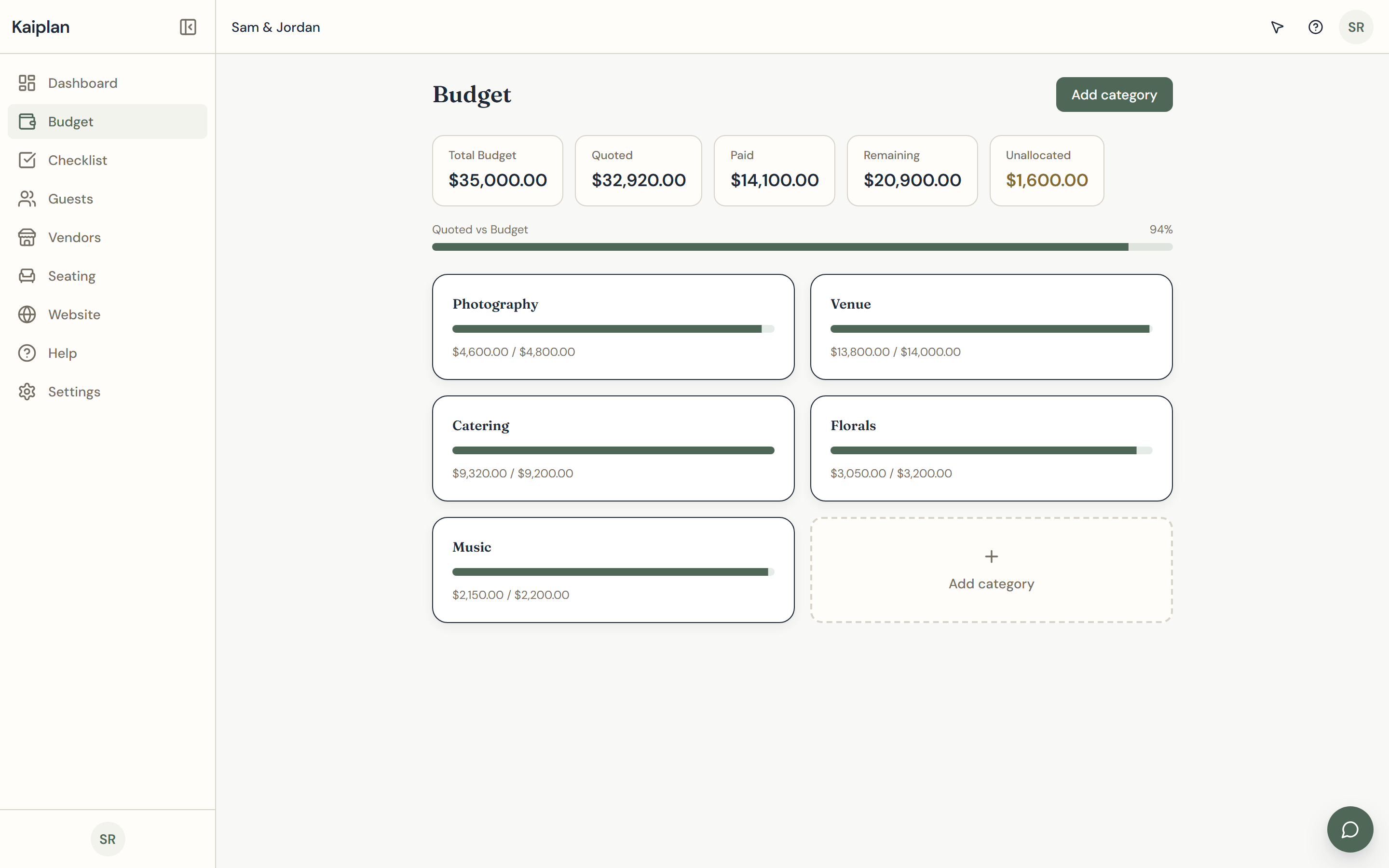
Most wedding apps hand you a pie chart of national averages and call it a budget. We built the ledger to track the actual numbers that come out of your conversations — what the florist quoted, what the photographer's deposit was, what the band still wants on the day of. Every line carries a vendor name, a category, a paid column, and a remaining balance. The category totals reconcile in real time as the numbers move, which means the morning a new quote lands you can see what it does to the rest of the wedding before you reply to the email. We kept CSV export on every plan because the spreadsheet you started with deserves to come along.
What it does
- Real vendor quotes with deposit and balance columns
- Category totals that reconcile as numbers change
- CSV export on every plan
- Linked to vendor records so a quote and a contract live together
Guests
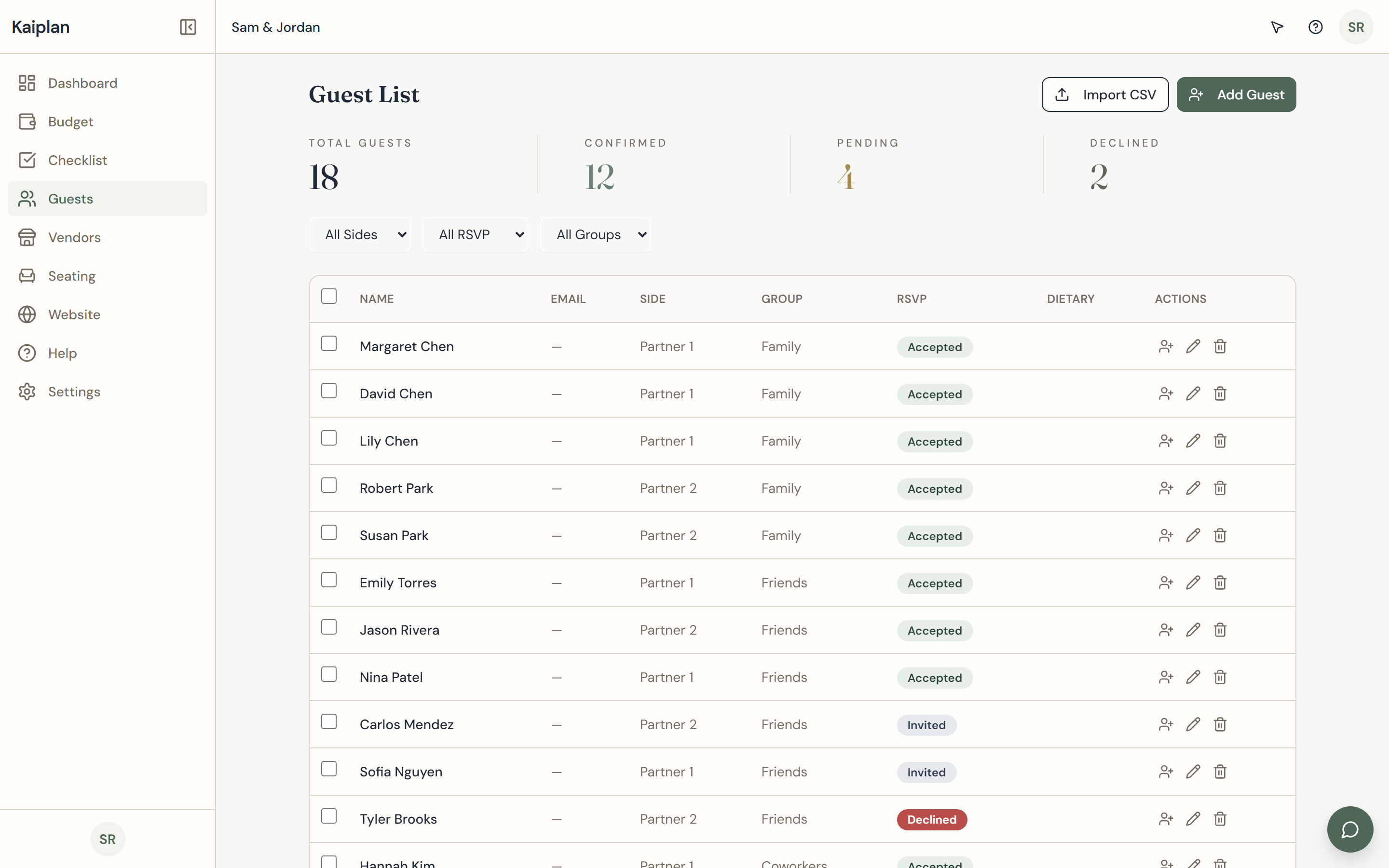
Guests, RSVPs, and dietary notes in one ledger.
A guest list is a small database with personal stakes — your aunt's plus-one, your friend's gluten allergy, the cousin you are not actually inviting. We built one table that holds every name, every reply, every dietary note, and every group membership, with filter views for the chase list and the seating chart. The running count answers "who hasn't replied?" without a spreadsheet equation, and the export hands the caterer the file shape they actually want. When an RSVP changes, every other surface — seating, headcount, dinner counts — sees the change immediately. No copy-paste between tabs.
What it does
- Side, group, RSVP state, and dietary notes per guest
- Filter views for the chase list and the seating chart
- Caterer-shaped CSV export
- Live count of confirmed, declined, and pending replies
Seating
A seating chart that does the table arithmetic.
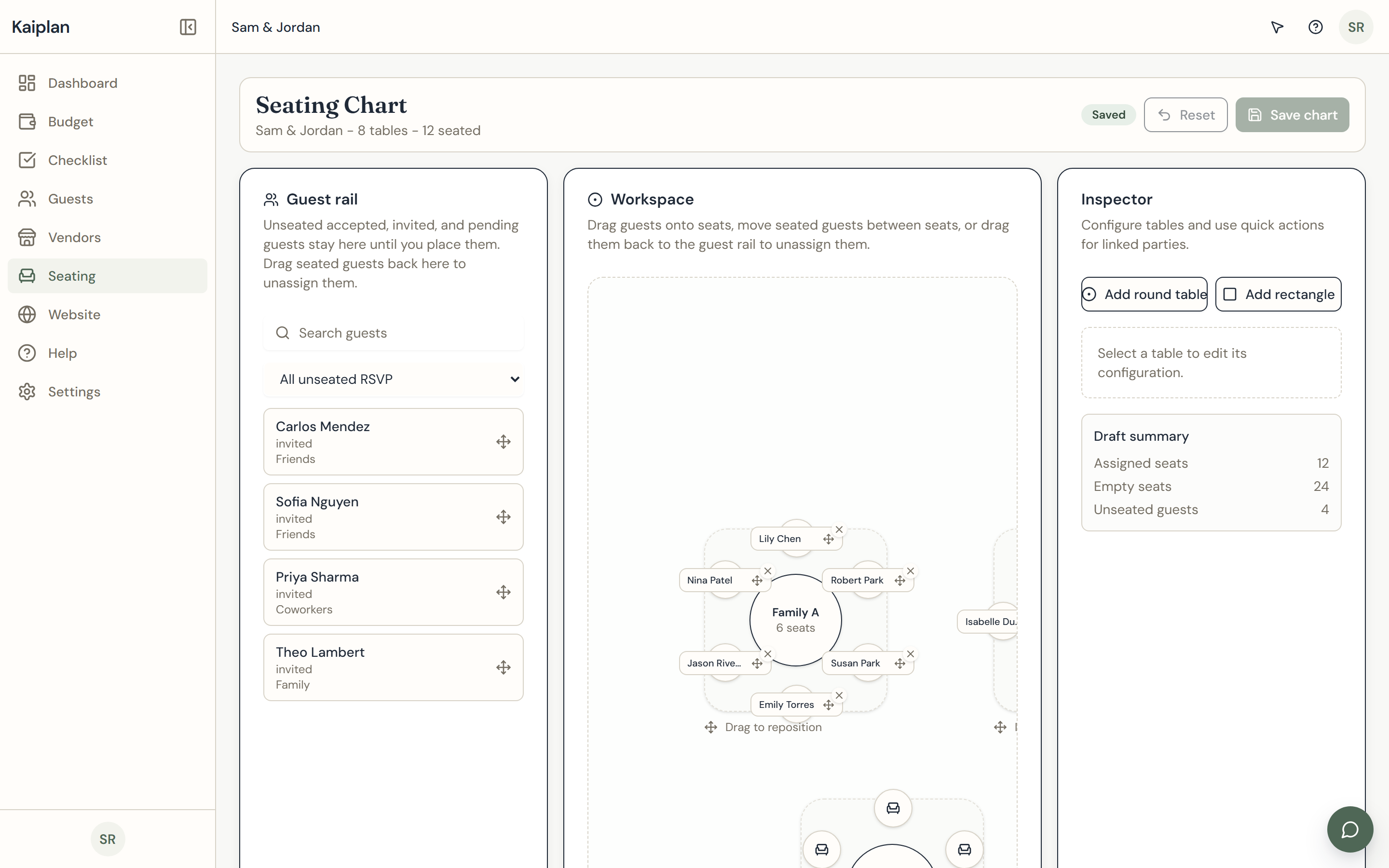
Seating is where wedding logistics quietly fall apart in a spreadsheet. We built a canvas you can actually arrange the room on: drag a name from the unseated rail, drop it on a table, and the inspector counts heads, flags overcommitted tables, and warns when a couple has been split. Tables come in round, rectangular, and head-table shapes; you can rename them, move them, and rotate them without losing the assignments. The whole canvas stays in sync with the guest list — when an RSVP flips, the name moves to or from the unseated rail automatically. There is no "export to seating tool" step.
What it does
- Round, rectangular, and head-table shapes
- Inspector with per-table counts and notes
- Stays in sync with the guest list — no copy-paste
- Unseated rail surfaces who still needs a chair
Vendors
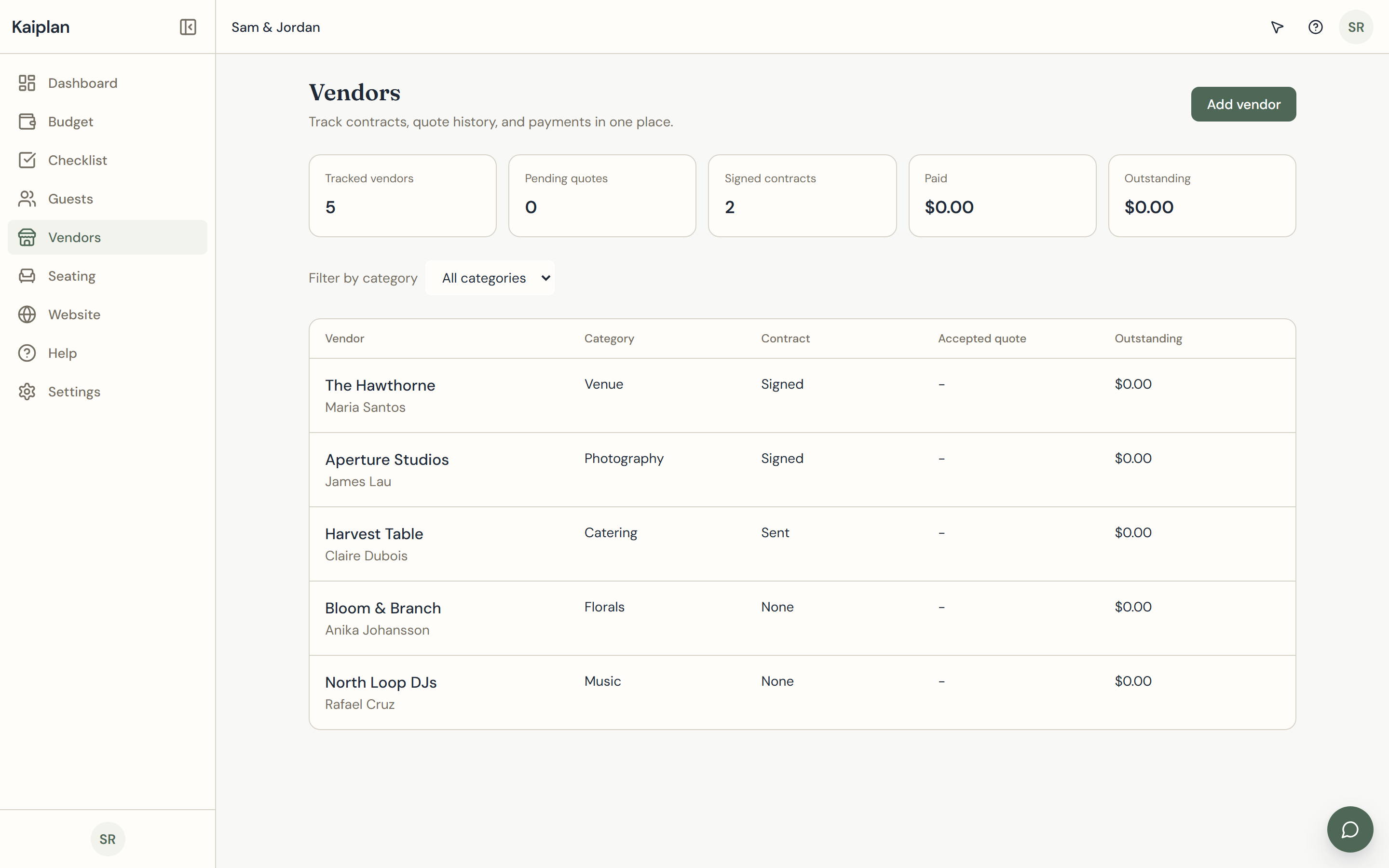
Vendors organized like contracts, not contacts.
Most planning tools turn vendors into a contact card with a phone number. We built the vendor tracker as a contracts ledger: one row per vendor, with category, contract status, primary contact, and the last note you sent. Booked, in negotiation, and shortlisted are first-class states, not tags. Notes survive the inbox — the question you asked the photographer about second-shooter pricing lives next to the answer. Each vendor links back to its line in the budget ledger, so the quote and the contract live together, and the email you are hunting for at midnight is one click away.
What it does
- Booked, in negotiation, and shortlisted states
- Notes field that survives the inbox
- Linked from the budget so a quote and a contract live together
- Filter and sort by category, status, or last touch
Website
Your wedding website, in the same workspace.
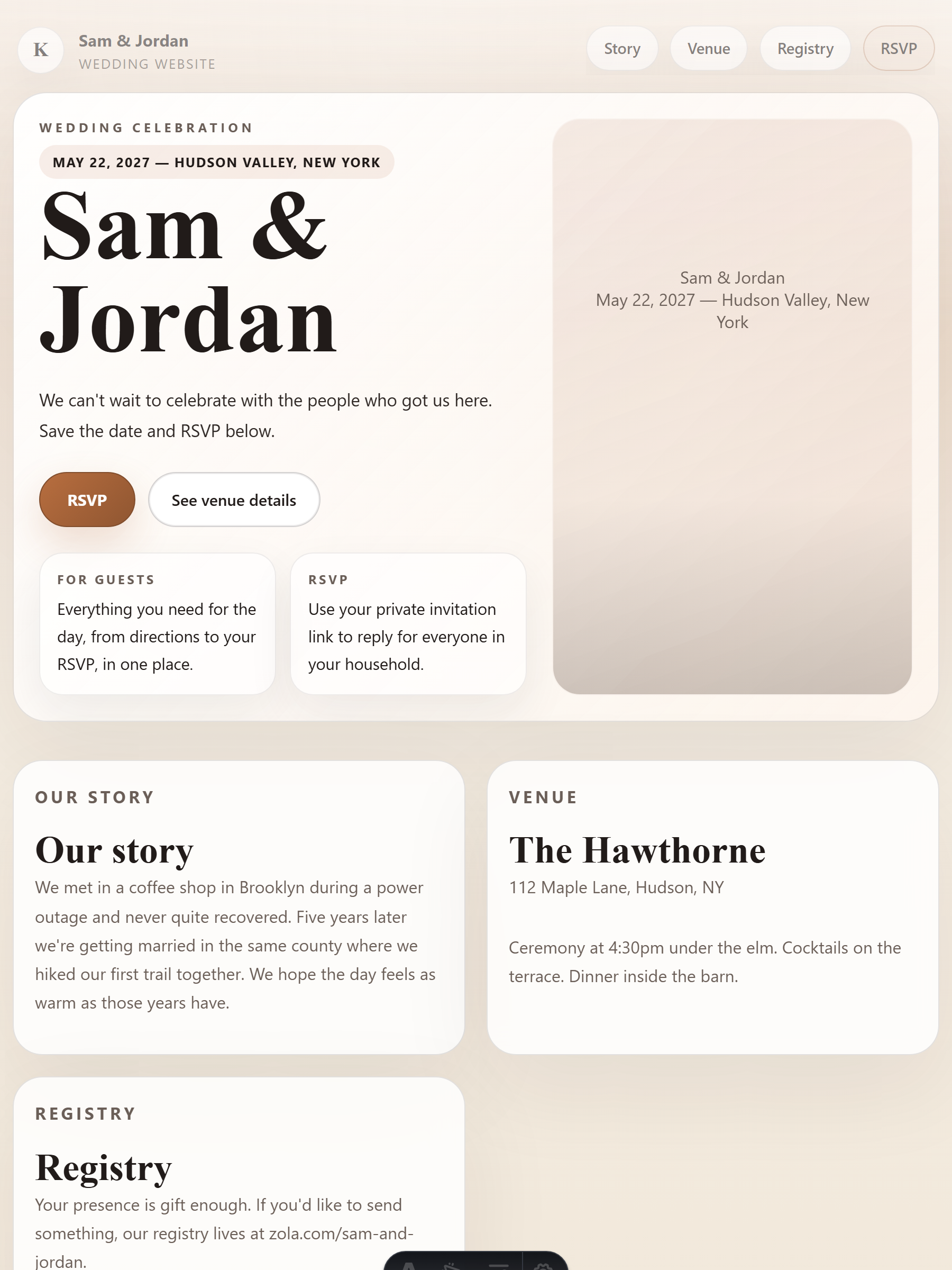
Wedding websites usually live on a separate platform with its own login, its own template store, and its own ads. We built a wedding website that publishes from the same workspace you keep the budget in — hero, story, venue, registry, and an RSVP form whose responses flow straight back into the guest ledger. The layout is editorial, not template-store kitsch, and we let you bring a custom domain on the paid tiers. There is no upsell paywall on the basics, no banner trying to sell your guests a registry, no separate dashboard to babysit. The URL you share is yours.
What it does
- Editorial layout, no template-store kitsch
- RSVP responses flow back into the guest ledger
- Custom domain support on Pro and Lifetime
- SEO basics — clean meta, sitemap, sharable preview
Timeline
A checklist that knows what month you're in.
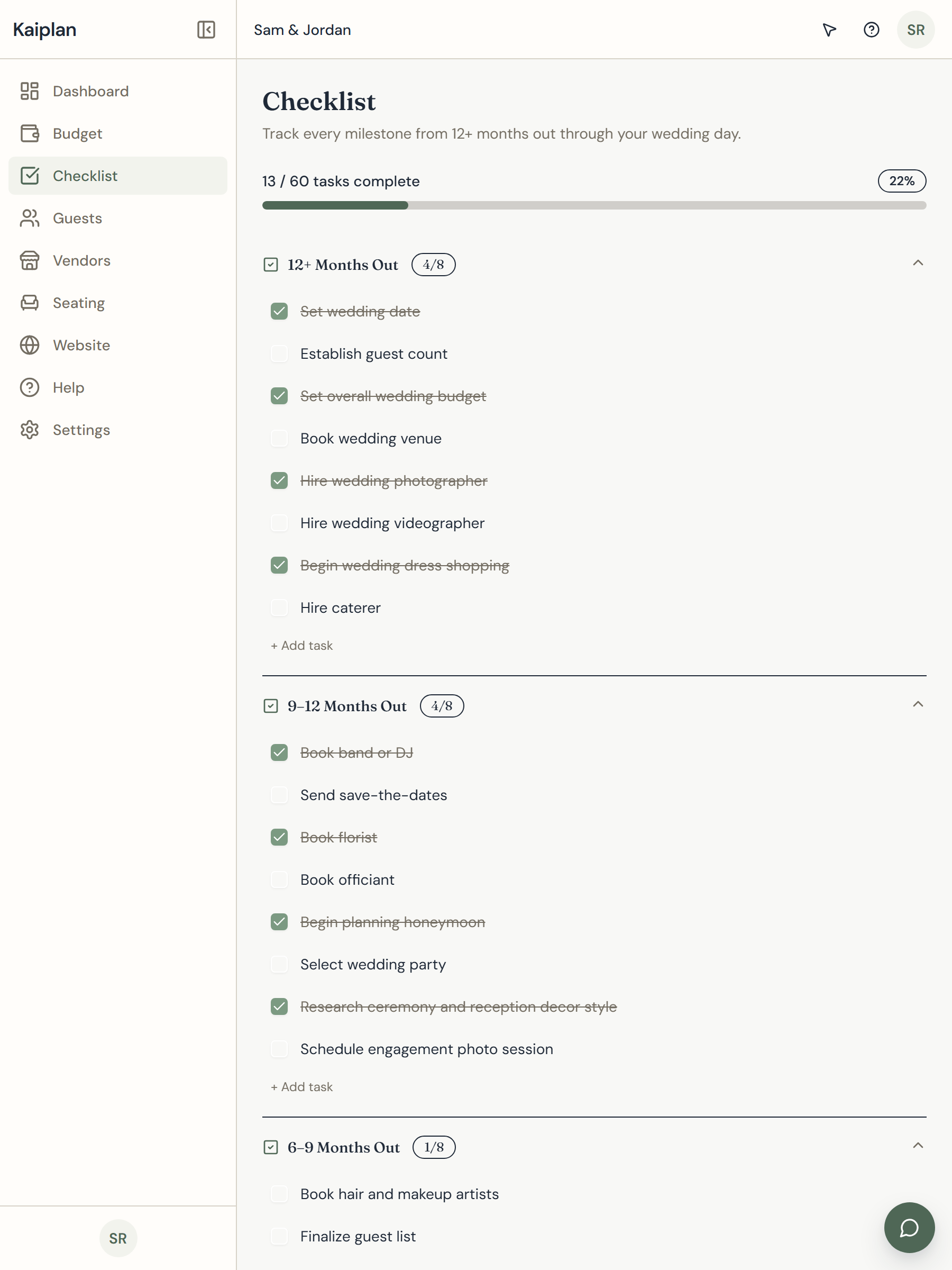
A wedding timeline is sixty-plus tasks with overlapping deadlines and no two weddings running in the same order. We built the milestone checklist with a default plan we wrote ourselves, bucketed by months-out, so the day you start the engagement is the day you can see what to do twelve months out without inventing it. Custom tasks live next to the defaults; ignore the ones that don't apply to your wedding. The checklist stays quiet about what you have already finished — no badge spam, no celebratory animations, no notifications you didn't ask for. Just the work that is left.
What it does
- 60+ tasks from twelve months out through the day-of
- Custom tasks live alongside the defaults
- Bucketed by months-out, anchored to the wedding date
- Quiet about what's already finished — no badge spam
The matrix
What lives in which plan.
Starter covers the core planning workflows. Pro and Lifetime add the connected vendor and website tools that keep more of the wedding in one workspace.
| Feature | Starter | Pro | Lifetime |
|---|---|---|---|
| Budget ledger | Included | Included | Included |
| Guest list and RSVPs | Included | Included | Included |
| Drag-and-drop seating chart | Included | Included | Included |
| Milestone checklist | Included | Included | Included |
| CSV export | Included | Included | Included |
| Vendor contact tracker | — | Included | Included |
| Wedding website with RSVP | — | Included | Included |
| Role-based team access | — | Included | Included |
| Billing | $20 / month | $35 / month | $100 once |
Starter and Pro include a 30-day free trial. Lifetime is a one-time purchase, no trial.
Ready to see it on your wedding? Open the app →